AI Video Software: A Guide to Generators, Editors, and Avatar Tools
This article contains affiliate links. If you buy through them, we may earn a commission at no extra cost to you.
AI video software can turn a written idea into a moving scene, shorten a recorded webinar, or create a presenter-led training video without a camera shoot. Those capabilities often appear together in marketing materials, but they solve different problems. This guide explains the main categories, where each fits, and what to check before choosing a tool for your workflow.
1. What Is AI Video Software?
AI video software uses artificial intelligence to generate, edit, analyze, or translate video content. Some tools create new footage from text or images. Others help you work faster with footage you already have. Avatar platforms create digital presenters that deliver a script.
The most useful starting point is not “Which tool is best?” but “What part of making a video do I need help with?”
| Category | What it does | Typical uses |
|---|---|---|
| Video generators | Create moving visuals from prompts, images, or other inputs | Concept videos, illustrative shots, creative experiments |
| AI-assisted editors | Help cut, clean up, caption, and organize recordings | Interviews, tutorials, podcasts, marketing videos |
| Avatar tools | Turn scripts into videos featuring digital presenters | Employee training, onboarding, product explanations |
| Clipping and repurposing tools | Identify segments and adapt longer recordings into shorter videos | Social clips, webinar highlights, podcast excerpts |
| Dubbing and localization tools | Translate speech and create replacement audio, sometimes with lip synchronization | Multilingual training, educational content, international marketing |
These categories overlap. An avatar platform may include dubbing, while an editor may offer generated visuals and automatic clipping. Look at the complete workflow rather than assuming a feature-rich platform will do every task equally well.
Automation versus creative control
Some tools produce a nearly finished video after you enter a script. Others add AI features to a traditional editing interface. The first approach can be easier for beginners; the second usually gives you more precise control over timing, visuals, and sound.
Neither approach removes the need for review. AI can speed up production, but it does not reliably judge factual accuracy, audience needs, or brand suitability.
2. AI Video Generators: Creating Footage From Prompts and Images
Generative video tools create moving images rather than simply rearranging existing clips. Platforms such as Runway offer generative video capabilities, although available models, controls, and subscription limits can change.
The main generation methods
- Text-to-video: Describe a scene, subject, action, and visual style to generate footage.
- Image-to-video: Supply a still image and guide how the subject or camera should move.
- Video-to-video: Use existing footage as a starting point for a visual transformation, where supported.
Be careful with the phrase “text-to-video.” Some products generate original moving imagery, while others match a script with stock footage, captions, and narration. Both can be useful, but they produce different results.
Where generators work well
Generators can help create atmospheric shots, visualize concepts, explore advertising ideas, or produce footage that would be impractical to film. Image-to-video can be useful when you already have an approved visual reference.
However, generated footage should not automatically replace real product demonstrations. If viewers need to see exactly how an item looks or operates, filmed footage or verified screen recordings may be more reliable.
What can go wrong
Common problems include inconsistent objects, unnatural movement, distorted text, and changing character details between shots. A convincing short scene does not guarantee continuity across a complete video.
Prompts work best when they describe one manageable shot: the subject, setting, action, framing, and camera movement. Generate and review individual shots, then assemble them in an editor. Expect revisions rather than assuming the first result will be usable.
3. AI Video Editors and Tools for Turning Long Videos Into Short Clips
For many beginners, AI-assisted editing is more immediately useful than generating footage from scratch. If you already record interviews, demonstrations, lessons, or webinars, editing automation can remove repetitive work without replacing the original material.
Tools such as Adobe Premiere Pro and Descript illustrate different approaches to AI-assisted editing. Feature availability varies, but common capabilities across the category include:
- Transcribing spoken audio and allowing edits through text.
- Generating captions and subtitle files.
- Reducing background noise or improving speech clarity.
- Finding pauses, filler words, or possible highlight moments.
- Reframing footage for vertical, square, or widescreen formats.
- Searching recordings by spoken words or visual content.
Turning long recordings into short clips
Dedicated repurposing tools analyze a longer recording and suggest shorter segments. Some also add captions, track speakers, and reposition the frame for mobile viewing.
When comparing the best AI tools for turning long videos into short clips, prioritize selection quality and editing control. A useful clip needs a clear opening, enough context to make sense, and a satisfying ending. Automatic highlight scores do not guarantee audience engagement.
Check whether the tool keeps the correct speaker in frame, handles multiple speakers, and lets you adjust segment boundaries. Also review captions for names, technical terms, and punctuation.
Keep editorial judgment in the process
Removing every pause can make speech feel rushed. Extracting a striking sentence can misrepresent the speaker if essential context disappears. Review short clips against the original recording, especially when discussing sensitive, technical, or regulated subjects.
4. AI Avatars, Voiceovers, and Video Dubbing
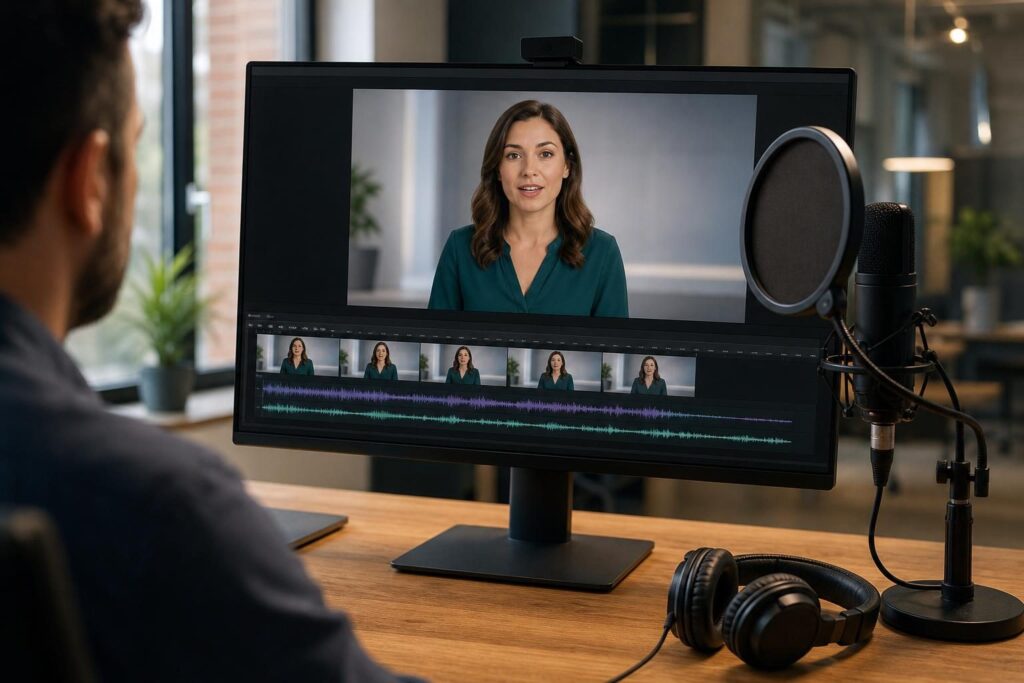
Avatar software combines a script, a synthetic voice, and a digital presenter. Depending on the platform and permissions, you may choose a stock avatar or create a custom likeness.
This category suits repeatable, information-led videos: onboarding instructions, internal announcements, process explanations, and training modules. It is less suitable when an audience needs authentic personal testimony, a live demonstration, or nuanced human performance.
Is Synthesia a good fit for employee training videos?
Synthesia is an established avatar video platform worth considering for scripted workplace learning. A useful evaluation should focus on how easily a team can update lessons, maintain consistent presentation, and produce accessible content.
For employee training, also check:
- Pronunciation of company names, acronyms, and specialist vocabulary.
- Control over pacing, pauses, and on-screen supporting material.
- Collaboration, approvals, and brand templates.
- Compatibility with your learning management system and required delivery format.
- Whether completion tracking or interactive learning requires separate software.
An avatar can deliver a lesson, but effective training still depends on clear objectives, accurate instructions, and opportunities to check understanding.
HeyGen versus Synthesia: what should you compare?
HeyGen and Synthesia both offer avatar and video translation capabilities. Rather than assuming one is universally better, compare them using the same short script and the same localization requirements.
Look closely at avatar delivery, voice pronunciation, lip synchronization, supported language combinations, editing flexibility, and custom-avatar requirements. For pricing, examine included usage, premium features, translation allowances, team access, and any separate charges rather than comparing subscription totals alone.
Dubbing is more than translation
A translated script may need different phrasing or more speaking time. Review meaning, tone, pronunciation, and subtitle timing in every target language. For important content, use a fluent reviewer with relevant subject knowledge.
Voice cloning and custom avatars also require appropriate permission. The ability to upload a recording does not establish the right to reproduce someone’s voice or likeness.
5. A Practical AI Video Workflow for Beginners
A reliable workflow starts with the message and ends with a quality check. Choosing a tool before defining the video often leads to unnecessary complexity.
- Define the outcome. Identify the audience, what they need to learn or do, and where they will watch.
- Choose the source material. Decide whether you need real footage, screen recordings, generated scenes, an avatar, or a combination.
- Write and verify the script. Use short spoken sentences and check claims, names, instructions, and any required disclosures.
- Plan the visuals. Outline the shots, slides, demonstrations, or supporting graphics needed for each section.
- Create a small sample. Test pronunciation, visual style, motion, or clipping quality before producing the full video.
- Generate or edit. Build the video in manageable sections and keep source files organized.
- Review accessibility and accuracy. Correct captions, check contrast, and ensure essential visual information is explained where needed.
- Export and verify. Watch the exported file with sound on and off, checking framing, timing, readability, and audio.
Use a hybrid approach when it helps
You do not need to commit to a single production method. A tutorial might combine a real screen recording, an avatar introduction, generated illustrative footage, and manually reviewed captions.
The goal is not to maximize AI usage. It is to make a clear, trustworthy video with an appropriate amount of production effort.
6. How to Choose AI Video Software
Start with one recurring task and compare a small shortlist. Testing unrelated tools against a vague goal makes it difficult to judge value.
Evaluate the complete cost
AI video pricing may depend on credits, generated seconds, export minutes, resolution, avatar type, translation usage, or team seats. Failed attempts and revisions may consume allowances, depending on the platform.
Consider the cost of a usable finished video, including editing and review time. A cheaper subscription may offer poor value if outputs require extensive correction.
Check these practical requirements
- Output quality: Resolution, motion consistency, speech clarity, and caption accuracy.
- Control: Whether you can fix individual scenes, adjust timing, and replace audio without rebuilding everything.
- Exports: Required file formats, aspect ratios, subtitle files, and watermark conditions.
- Workflow compatibility: Connections to your editor, storage system, brand assets, or learning platform.
- Team features: Permissions, shared templates, review comments, and approval controls.
- Portability: Whether you can retain source assets and continue editing outside the platform.
- Support: Clear documentation, accessible help, and understandable usage policies.
Protect confidential material
Before uploading internal recordings, customer information, or unreleased products, review the provider’s data handling terms. Check retention, deletion options, access controls, and whether uploaded content may be used to improve models.
Business plans may have different protections from individual accounts. Do not assume that every subscription meets your organization’s privacy or procurement requirements.
7. Can You Use AI-Generated Videos Commercially?
Commercial use may be permitted, but it depends on the tool’s terms and the material involved. A subscription does not automatically clear every right in a finished video.
Before publishing a client project, advertisement, paid course, or monetized video, check several separate issues:
- Platform permissions: Does your plan allow the intended commercial use, and are there restrictions on certain applications?
- Input rights: Do you have permission to upload and transform the images, footage, scripts, and recordings you supplied?
- Asset licenses: Are music, stock footage, fonts, and templates cleared for the intended distribution?
- Likeness and voice consent: Have recognizable people authorized the relevant use of their identity?
- Output risks: Does the result contain protected characters, logos, misleading claims, or recognizable third-party material?
Permission and copyright protection are different
A provider may permit commercial use without guaranteeing that every output is free of third-party claims. Copyright protection for AI-generated material also varies by jurisdiction and the nature of human creative contributions.
Keep records of relevant licenses, permissions, and production decisions. For high-stakes campaigns or uncertain rights, seek qualified legal advice.
Use synthetic media responsibly
Do not present generated footage as evidence of an event that did not happen. Avoid fabricated testimonials, unauthorized impersonation, and misleading product demonstrations.
Disclosure requirements vary by location, platform, and content type. Even when a specific label is not required, consider whether viewers need disclosure to understand what they are seeing.
8. Conclusion: Match the Tool to the Job
The right AI video software depends on your starting point. Choose a generator for new visual material, an AI-assisted editor for existing recordings, a clipping tool for repurposing, or an avatar platform for repeatable presenter-led content.
Begin with a small, realistic project. Check output quality, revision effort, total cost, privacy, and commercial permissions before committing. AI can make video production more accessible, but clear communication and careful human review remain essential.