AI Video Software: A Guide to Generators, Avatars, and Editing Tools
This article contains affiliate links. If you buy through them, we may earn a commission at no extra cost to you.
AI video software can help you create footage, turn a script into a narrated presentation, generate an on-screen presenter, or edit recordings faster. The challenge is that these tools do very different jobs, even when they all promise to make video creation easier. This guide explains the main categories, how they fit into a practical workflow, and what to check before choosing a tool for your content.
What Is AI Video Software?
AI video software uses artificial intelligence to generate, assemble, enhance, or edit video content. Some tools produce new visuals from written prompts. Others work with footage you already have, helping you remove pauses, create captions, improve audio, or find useful clips.
It helps to separate the category into four main groups:
- Generative video tools: Create new video clips from text prompts, images, or other visual inputs.
- Avatar video platforms: Turn a script into a presentation delivered by a digital presenter.
- Script-to-video tools: Assemble scenes using narration, stock footage, graphics, captions, and sometimes generated visuals.
- AI-assisted video editors: Help you edit existing recordings through transcription, automation, and enhancement features.
These categories overlap. An editor might offer generated voiceovers, while an avatar platform might include stock media and basic timeline controls. Instead of looking for one tool that does everything, identify the main task you need to complete.
Generation Is Not the Same as Editing
A video generator creates material that did not exist in your original footage. An editor changes or arranges existing material. That distinction affects how much control you have over the result.
Generated scenes can be useful for visual concepts, but they may contain inconsistent objects or unnatural movement. Editing real footage is often more suitable when viewers need to see an accurate product demonstration, a genuine interview, or a documented event.
AI Video Generators for Visuals and Product Marketing
Generative video tools are useful when you need visual material without filming every scene. Depending on the tool, you may start with a written description, a reference image, or an existing clip.
Products such as Runway and Adobe Firefly offer generative video capabilities, although available features, access, and usage limits can change. Evaluate the specific workflow rather than assuming that every generator supports the same inputs or controls.
Text-to-Video and Image-to-Video
Text-to-video starts with a description of a scene. You might describe the subject, setting, camera movement, lighting, and intended mood. It is useful for exploring concepts, creating atmospheric footage, and producing visual transitions.
Image-to-video uses a still image as a visual starting point. This can provide a stronger reference for a subject’s appearance, but it does not guarantee that every detail will remain unchanged as the scene moves.
In either case, expect an iterative process. You may need several attempts to get a usable clip, and the best result may still require trimming, color adjustments, or compositing in an editor.
Where Generators Fit in Product Marketing
For product marketing videos, generated footage is often most useful for supporting visuals rather than factual demonstrations. It can help establish a mood, illustrate a customer problem, or create a background for a campaign concept.
Useful applications include:
- Creating concept clips for campaign planning.
- Producing lifestyle-style backgrounds around a product message.
- Generating abstract visuals for software features or services.
- Exploring different creative directions before arranging a shoot.
Be cautious with packaging, logos, interface text, and precise product shapes. A generator may alter these details. For an accurate product showcase, use approved product photography, genuine screen recordings, or filmed demonstrations, then add generated material around them.
When comparing AI video generators for product marketing, prioritize reference-image control, visual consistency, aspect ratios, export quality, and commercial-use terms—not just the quality of a single impressive sample.
AI Avatars: Presenters Without a Traditional Shoot
AI avatar platforms create presenter-led videos from a script. They are commonly used for training, onboarding, internal communications, explainers, and localized presentations.
Instead of recording a presenter each time a sentence changes, you update the script and regenerate the relevant content. This can simplify maintenance for videos that contain frequently changing instructions.
Understanding Synthesia
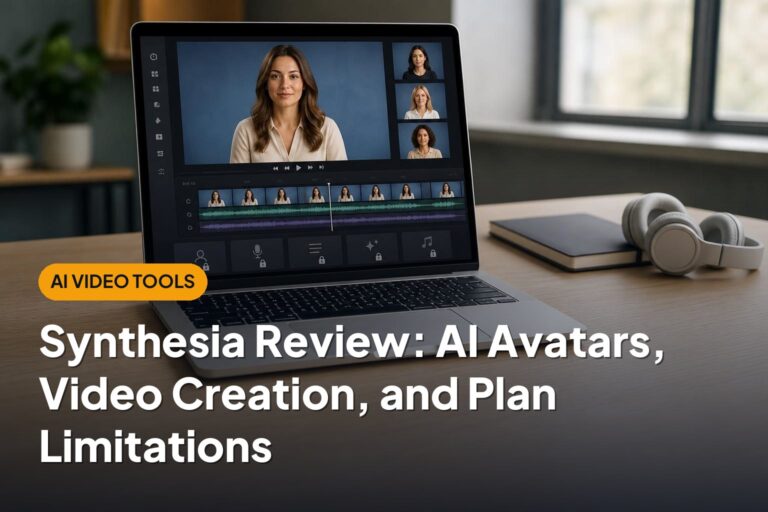
Synthesia is an established platform for creating AI avatar videos. Its workflow centers on combining a script, a digital presenter, and supporting visual elements into a presentation.
For a detailed Synthesia review, the important questions go beyond whether the avatar looks convincing. Check how easy it is to structure scenes, adjust pronunciation, apply branding, collaborate with colleagues, and update an existing video.
Also review plan limitations carefully. Video allowances, avatar options, language features, collaboration tools, and access to custom capabilities may vary by subscription. A feature shown in a demonstration is not necessarily included in every plan.
Synthesia vs. HeyGen: Compare the Workflow
HeyGen is another established AI avatar video platform. When comparing Synthesia vs. HeyGen, begin with the type of content you need rather than searching for a universal winner.
Evaluate both platforms using the same short script and similar scene requirements. Compare:
- Presenter delivery: Does the speech, pacing, and facial movement suit your audience?
- Language needs: Are the required languages and pronunciation controls available?
- Editing experience: How easily can you revise scenes, layouts, and visual assets?
- Localization: How much manual review is needed for translated versions?
- Operational fit: Do the permissions, approval options, and usage allowances match your team?
Avatar videos work well for structured explanations, but they are not a perfect replacement for every human presentation. Sensitive announcements, personal stories, and relationship-building content may benefit more from a real speaker.
AI Video Editing Software for YouTube and Other Channels
If you already record videos, AI-assisted editing may be more valuable than video generation. These tools can reduce repetitive work while leaving you in control of the story.
Descript offers text-based editing workflows, while Adobe Premiere Pro and DaVinci Resolve include AI-assisted features within broader editing environments. Feature availability can depend on the version or subscription.
Features That Help Creators Most
- Transcription and text-based editing: Find spoken passages and, in supported workflows, edit video by changing the transcript.
- Caption generation: Create a starting point for subtitles, then correct names, punctuation, and timing.
- Audio cleanup: Reduce background noise and improve speech clarity.
- Reframing: Adapt horizontal footage for vertical or square formats.
- Clip suggestions: Identify possible highlights from longer recordings.
- Search and organization: Locate relevant dialogue or footage more quickly.
Choosing an Editor for YouTube
The best AI video editing software for a YouTube creator depends on the format. A talking-head tutorial benefits from transcript editing and audio cleanup. A documentary-style channel needs stronger media organization and timeline control. A podcast channel may prioritize multicamera editing and short-form repurposing.
Do not judge an editor only by how many tasks it automates. Check whether you can easily correct its decisions. Automatic silence removal can damage natural pacing, and suggested clips may omit the context that makes a statement understandable.
For longer videos, storytelling, sound balance, and visual clarity still matter more than the number of automated effects.
How to Turn a Script into an AI Video
A script-to-video workflow combines writing, visual planning, narration, editing, and review. Some platforms handle most of these steps in one place; others require several tools.
- Define the audience and outcome. Decide what viewers should understand or do after watching. Choose the publishing channel and aspect ratio before building scenes.
- Write for speech. Use short sentences and natural transitions. Read the script aloud to catch awkward phrasing and overloaded explanations.
- Break the script into scenes. Give each scene one main idea. Note whether it needs an avatar, screen recording, product image, stock clip, or generated visual.
- Create the voiceover. Record a human narrator or use a licensed synthetic voice. Check pronunciation, emphasis, pauses, and consistency.
- Build the visual sequence. Match visuals to the narration rather than simply adding a different image for every sentence.
- Add and correct captions. Review technical terms, names, numbers, line breaks, and synchronization.
- Review the complete video. Check factual accuracy, visual errors, audio levels, brand consistency, and rights before exporting.
Voiceover and Captions Need Human Review
Synthetic narration can sound smooth while emphasizing the wrong word or mispronouncing a product name. Listen to the entire track, not just a preview.
Captions also need careful checking. Keep them readable on small screens and avoid placing them over important interface elements. When a platform supports separate caption files, consider providing those as well as any burned-in captions.
For educational or workplace content, assess accessibility more broadly. Clear narration, readable contrast, and explanations of essential visual information can matter as much as subtitles.
How to Choose AI Video Software
Start with a repeatable task, such as producing a training update, editing a weekly tutorial, or making a short product promotion. Then compare tools against that task.
| Main need | Most relevant category | What to check first |
|---|---|---|
| Original visual clips | Generative video tool | Output consistency, creative control, usable clip length |
| Presenter-led explainers | Avatar platform | Delivery quality, languages, revision workflow |
| Narrated videos from written content | Script-to-video platform | Scene control, media selection, voiceover options |
| Faster editing of recorded footage | AI-assisted editor | Timeline control, transcription, export options |
| Repurposing long recordings | Clipping and reframing tool | Context preservation, caption accuracy, reframing quality |
Look Beyond the Subscription Price
AI video pricing may depend on credits, generated minutes, processing allowances, seats, or access to particular features. These units are not always directly comparable.
Check whether unsuccessful generations consume credits, whether unused allowances expire, and whether higher-resolution exports require a different plan. Also account for the time spent correcting outputs.
The useful comparison is cost per finished, usable video—not cost per generation.
Run a Small Evaluation
Use a representative project rather than an unusually simple demo. Include a difficult pronunciation, a required brand asset, a caption correction, and an export in your normal publishing format.
Assess privacy and operational requirements too. Before uploading confidential scripts, customer recordings, or unreleased products, review data retention, model-training policies, deletion options, and access controls. Do not assume a consumer account provides the safeguards your organization requires.
Commercial Use, Licenses, and Responsible Publishing
Whether you can use AI-generated videos commercially depends on the tool’s terms, your subscription, the assets involved, and applicable law. Permission to export a file is not the same as permission to use every element commercially.
Check Each Layer of Rights
- Platform terms: Confirm whether your intended commercial use is permitted under the relevant plan.
- Input materials: Make sure you have permission to upload photographs, footage, music, scripts, and logos.
- Included assets: Review any separate restrictions covering stock media, templates, fonts, or soundtracks.
- People and voices: Obtain appropriate consent before creating or using a recognizable person’s likeness or cloned voice.
- Third-party rights: Avoid assuming that generated content is automatically free of trademark, copyright, privacy, or publicity concerns.
Copyright protection for AI-generated material can vary by jurisdiction and by the nature of human involvement. A provider’s commercial-use permission does not guarantee copyright ownership, exclusivity, or freedom from legal claims.
Disclosures and Accuracy Matter
Do not present a synthetic spokesperson as a real customer giving a genuine testimonial. Likewise, generated footage should not be represented as documentary evidence of an event.
Check the disclosure rules of the platform where you publish, along with any applicable advertising or industry requirements. Clearly labeling synthetic content can also help viewers understand what they are seeing.
For high-stakes campaigns, regulated subjects, or prominent likenesses, seek qualified legal advice. Keep records of relevant licenses, consent, and the terms that applied when you created the content.
Conclusion: Build Around Your Actual Video Needs
The right AI video software depends on what you need to make. Generators create visual material, avatars deliver scripted presentations, and AI-assisted editors speed up work with existing footage.
Start with one realistic project, evaluate the complete workflow, and check both output quality and usage rights. The strongest results usually combine automation with human judgment about accuracy, storytelling, accessibility, and audience trust.